Reviewing a draft and approving a tool action are different checkpoints. A draft review checks quality. An action approval checks what will happen, where, and with whose account.
Inspect approval mode
- Open the space conversation composer.
- Select the approval-mode label. It showed Auto-review in the demo.
- Read the choices: Approval required, Auto-review, and No approval.
The displayed explanation says the setting applies to shell commands and sensitive actions. Opening this menu does not by itself change the selected mode.
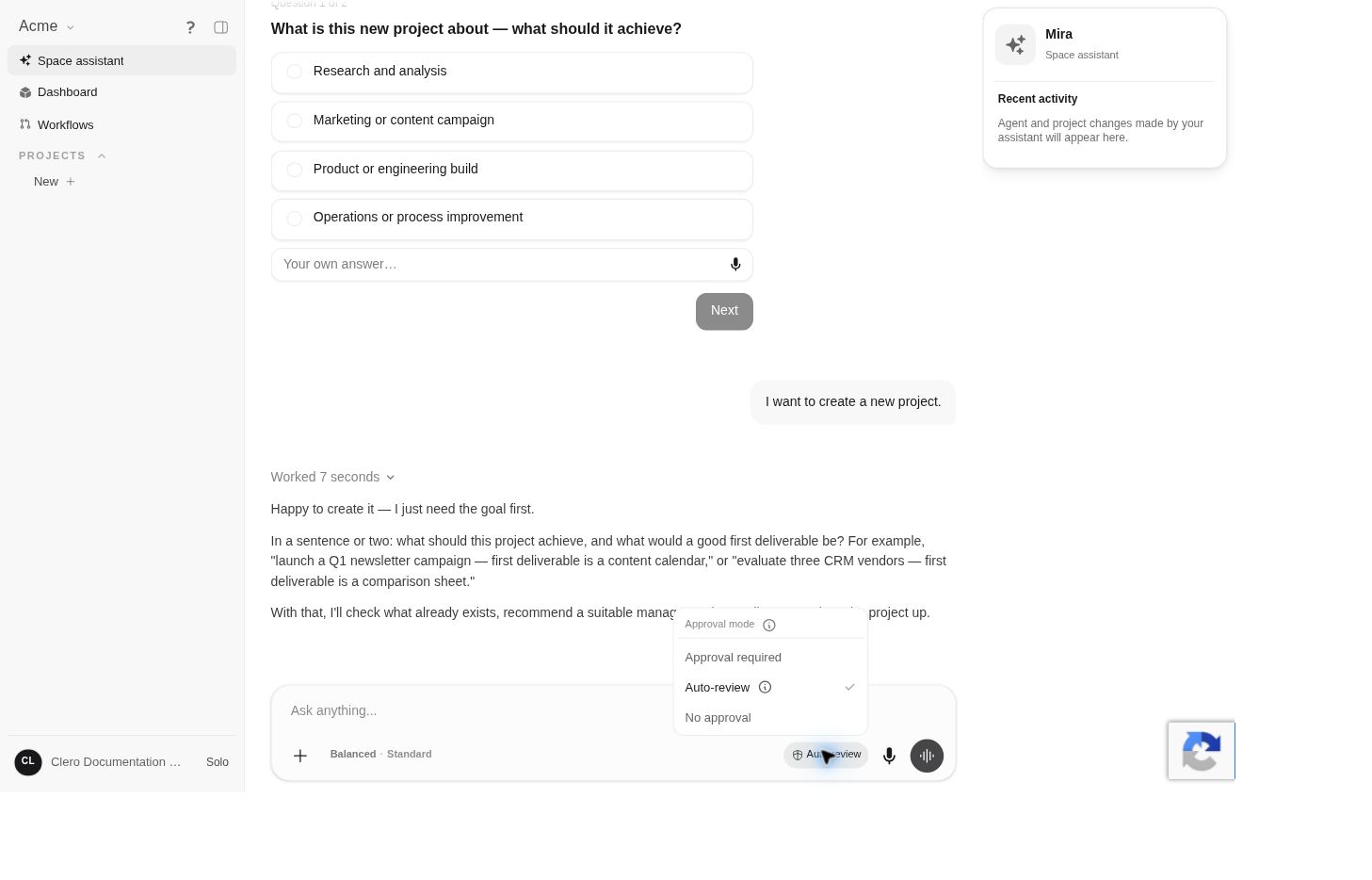 Screenshot detailThe demo’s selected mode was inspected without changing it.Enlarge ↗
A visible setting is not proof that every external operation follows the same approval path. Check the specific request and the explanation shown by the app.
Make the boundary clear in your request
For an initial task, distinguish research, a draft, and an action:
Research the options and prepare a recommendation. Show me the proposed action, account, destination, and any cost before making an external change.
For a message, identify the recipient and the intended content. For a post, identify the profile or page and audience. For a file, identify who should receive access.
Review a proposed action
Before approving, check:
- The exact operation and destination
- The account or identity being used
- The information that will be sent or changed
- The proposed content, amount, or scope
- Any stated consequences or recovery limits
If the proposal differs from your request, correct it before continuing. Avoid approving an unclear description just to make the agent proceed.
Check the outcome
A statement that an action was attempted is not a result. Ask for the relevant artifact, live URL, status, or confirmation, then inspect it when the consequence matters.
Changing a conversation or using rewind should not be treated as reversing an external action. If something was sent or changed, check the destination service separately.