A project channel is a messaging endpoint routed to an assigned project agent. A trigger defines work to run when eligible incoming input matches its configuration.
Choose a channel when you want an ongoing conversation with the project through a connected service. Choose a trigger when you want a defined process, such as classifying incoming requests, updating a sheet, and preparing a reply.
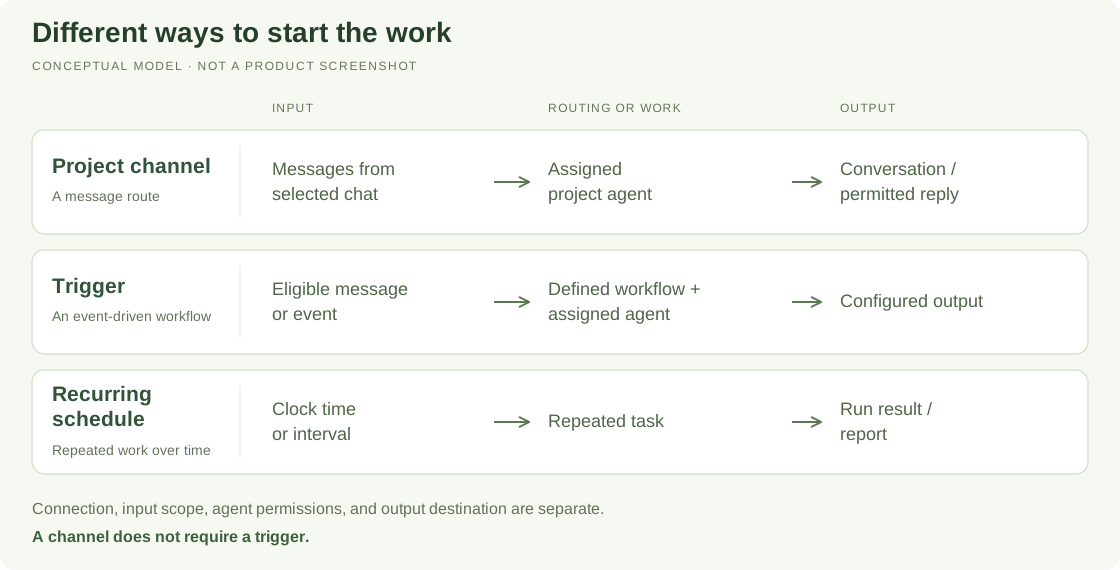
Compare the mechanisms
| Mechanism | What it does | Example |
|---|---|---|
| Project channel | Routes messages to the assigned project manager or team agent | Ask questions about a project from a selected group conversation |
| Trigger | Applies configured instructions or workflow steps to eligible input | Classify each support request and add a row to the tracking sheet |
| Recurring schedule | Starts repeated work according to time | Review blockers every weekday |
| One-off scheduled task | Starts one specific future action | Review the launch checklist on a chosen date |
A channel does not require a trigger. Creating one should not silently create the other. A trigger may also retain conversational context; the distinction is routing versus a defined workflow, not “has memory” versus “has no memory.”
Connection is only the first layer
Before messages reach the right agent, the service connection, selected chat or source, project, assigned handler, and handling mode must all be configured.
A connected bot or webhook alone does not prove that a specific group is linked or that a trigger exists. An outgoing message from the bot is not proof that an inbound message was received and handled.
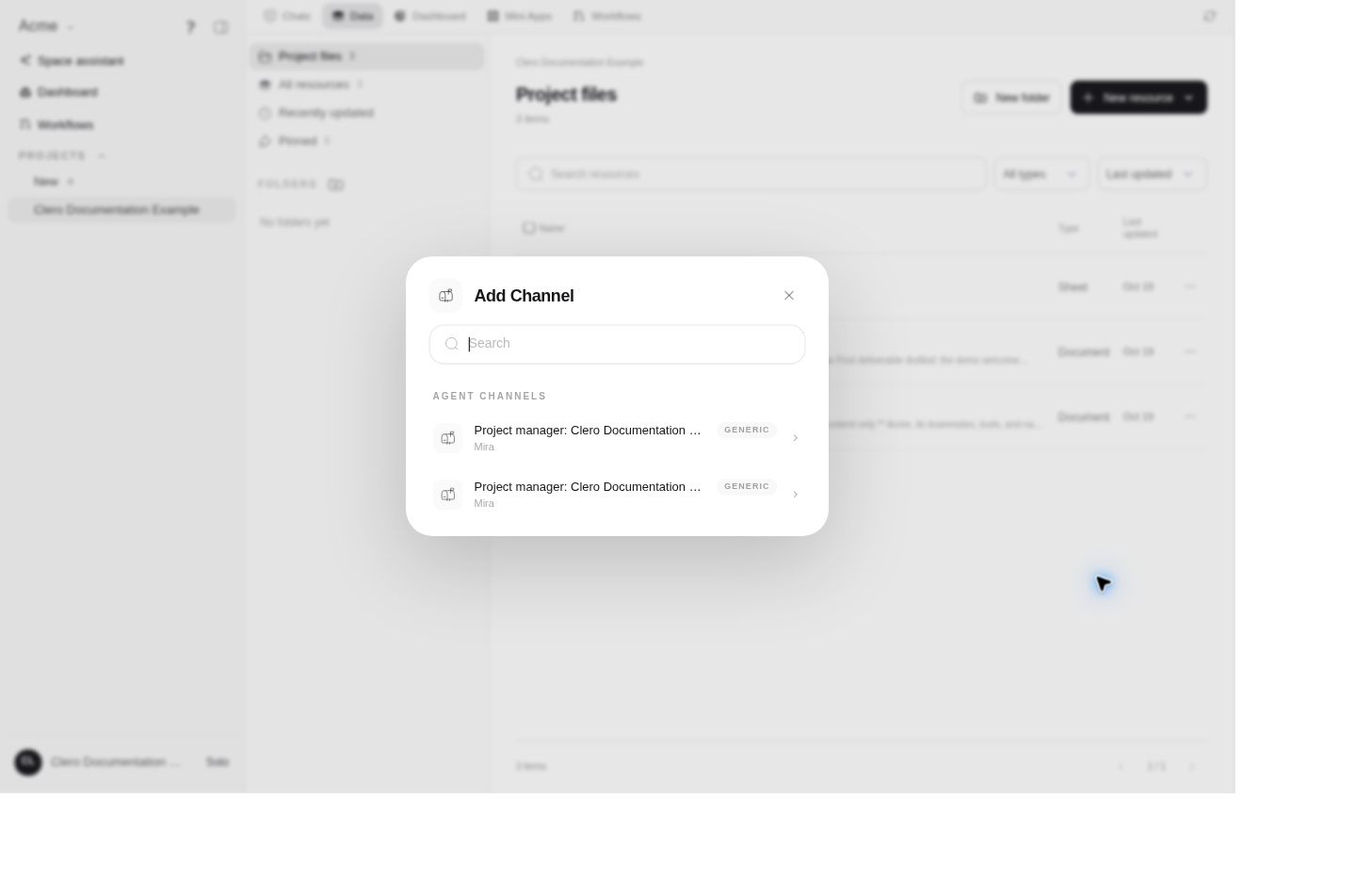
In the live demo, Data → New resource → Add existing → Channel opened a selector but no channel was attached.
Ask an agent to connect a project conversation
From the intended project, give the account, exact chat, handler, and allowed behavior:
Connect only our Product updates group on the selected Telegram connection as a channel in this project. Have the project manager receive messages and reply there. Do not include other groups or direct messages, and do not create a trigger workflow.
The current source-backed setup tool is configure_current_project_channel. It creates or updates a visible project Channel resource and its routing. The default handler for a new channel is the project manager; an eligible current team agent can be selected instead.
The inspected direct setup implementation supports Telegram, MAX, LINE, and AgentMail, with provider-specific target types and claim requirements. This does not establish that every listed service is enabled for your account, or that another provider uses the same flow.
If the exact chat is not available, use the product's connection or claim instructions. Do not paste bot tokens into chat or broaden a single-group request to all groups just to complete setup. Verify the chosen target and saved route before sending a controlled inbound test.
Change the handler or allowed direction
You can ask:
Switch Product updates to the Research agent, preserving the existing channel and conversations. Confirm the new handler.
Current source supports switching among eligible project agents without creating a replacement channel. The handler selector applies to source-backed project channels; do not assume a workflow-owned channel exposes the same control.
Channel access modes have specific meanings:
- Both: Receive incoming messages and post replies.
- Read only: Receive messages and invoke the assigned agent, but do not post.
- Write only: Allow posting; incoming messages do not invoke the agent or become readable channel context through that route.
Read only is not a pause switch. Ask for the specific behavior you need and verify the saved mode.
Ask for a trigger workflow
Open the project and describe the input and repeated procedure:
Create a paused trigger called Support intake for new messages in the selected support inbox only. Have the support agent classify each request, add a row to the support sheet, and prepare a draft reply for review. Do not send the reply automatically. Show the saved agent, source scope, instructions, and inactive state before we activate it.
Specify whether all eligible messages, exact commands, or messages about a particular topic should match. The source exposes semantic and command trigger types, but provider matching and exact command syntax should be checked in the actual setup.
The agent path uses create_automation_trigger, with list, update, and delete tools for later management. The trigger must have an eligible assigned agent and project. A trigger's channel policies select which sources may start it; those policies are not themselves a separate project Channel resource.
Separate receiving, reading, and replying
Trigger policies have distinct permissions:
can_invoke: Eligible inbound input may start a run.can_read: The source or channel may be read.can_write: The agent may post or reply through that route.
They are not interchangeable. State the permissions you intend rather than relying on omitted settings being restrictive. For a draft-only workflow, verify that its tools and output instructions do not authorize automatic sending.
A schedule's report destination and an approval-request channel are also separate uses of the word channel. Configuring one does not configure the others.
Verify, modify, or stop the workflow
After setup, inspect the saved trigger. After reviewing and deliberately activating it, send a controlled inbound message from the intended source. While paused, no new trigger run should start. Check both the run and its output. Ask for an existing trigger by name when changing instructions or source scope, rather than creating a duplicate.
Pause Support intake so new messages no longer start that workflow. Tell me if an execution is already active.
Deactivation stops new matching input from starting that trigger. Stopping an already running execution is a separate current-run action. Deleting the trigger removes its definition; it does not retract messages already sent or undo completed work.
To stop a project channel's routing, current source removes/unlinks its Channel resource and deactivates that route. The exact channel-removal confirmation and history behavior were not tested, so review them before removal. Do not assume it also disables an unrelated trigger or disconnects the whole provider account.
When setup is blocked
A Member's Create Trigger administration page can be restricted while a permitted agent-led creation route remains available. Ask the project agent and resolve its exact tool, project, or connection blocker. A denied capability request is not permission to switch scopes or bypass approval.
This preview verified the channel selector and workflow navigation, not live channel or trigger execution. Use Capabilities and Troubleshooting for access checks.