The conversation composer groups work-mode and context options in one menu. In the inspected space conversation, its label is Balanced · Standard.
Open the mode menu
- Open Space assistant.
- Select the mode/context label beside the composer.
- Read the available choices and their descriptions before making a change.
The menu shows Fast, Balanced, and Powerful. Its descriptions associate these with routine work, general work, and more complex work respectively. Use the labels currently displayed in your account; a mode is not the name of a guaranteed underlying model.
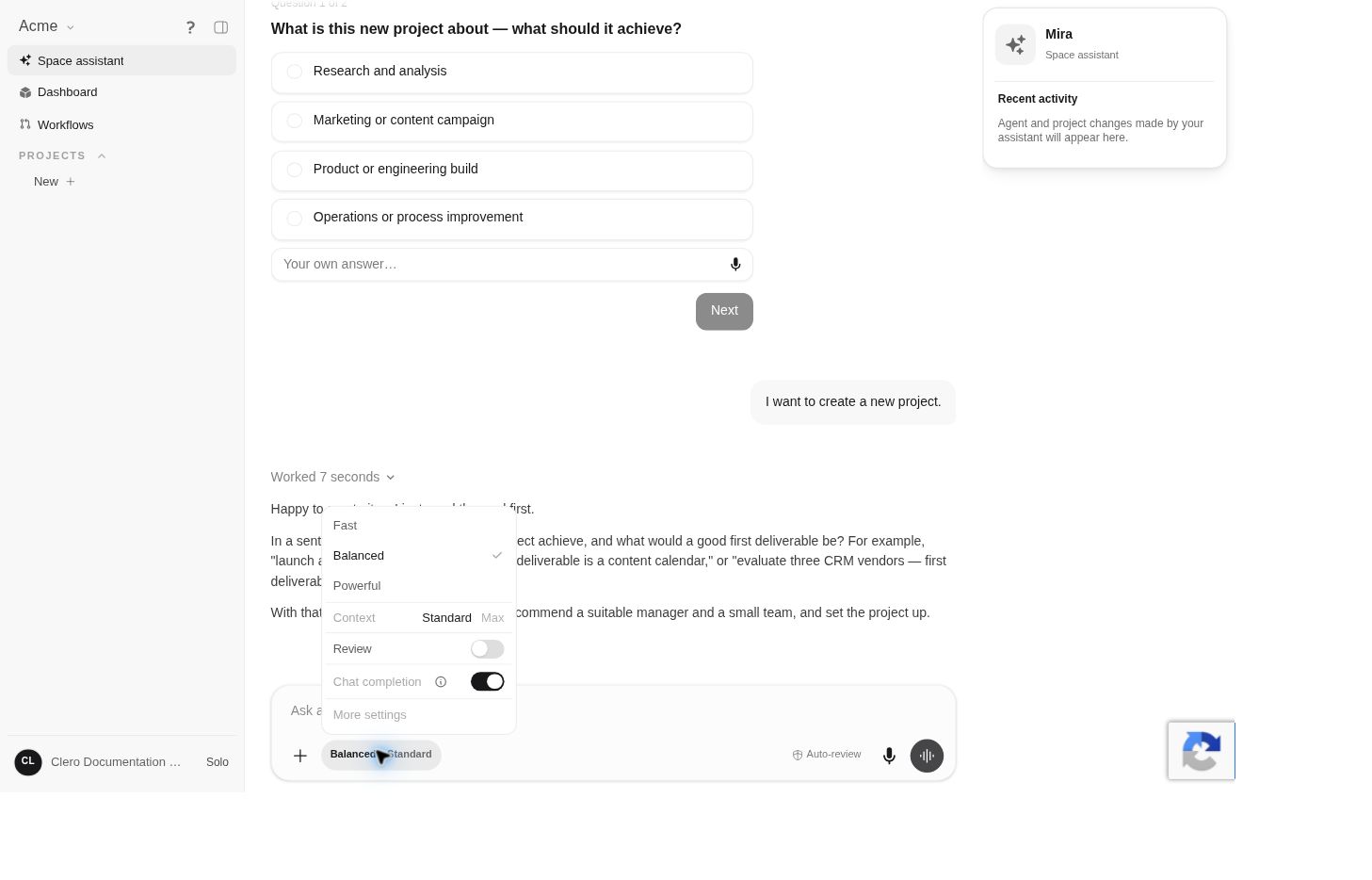 Screenshot detailObserved mode menu. Opening it did not change the demo account’s settings.Enlarge ↗
Read the usage information
A more demanding mode can consume the included allowance differently. Check the usage explanation in the menu and the allowance shown in your account before starting a long task. See Plans and usage.
The guide deliberately does not turn a mode into a fixed cost estimate: task size and the currently displayed terms matter.
Context choices
The same menu shows Standard and Max under Context. These labels alone do not establish an exact token count or a promise that every file or earlier conversation is included.
When context matters, point to the sources the task must use and ask the agent to identify what it actually found. A larger context setting cannot correct missing or contradictory source material.
Other controls in the menu
Review, Chat completion, and More settings are also visible. These are separate controls from approval mode. Do not use the word “review” alone when describing a setting: identify the actual control you mean.
If an option is unavailable, inspect its explanation and check your account access. Avoid switching multiple settings at once when diagnosing a task; make one deliberate change and compare the result.