Several controls can affect who or what can access information. Review the one that actually governs your task instead of assuming one setting covers every layer.
Space visibility
The live demo’s Space Settings → Access view showed a Personal space and explained that only its owner could access it. The scope control was inspected without changing it.
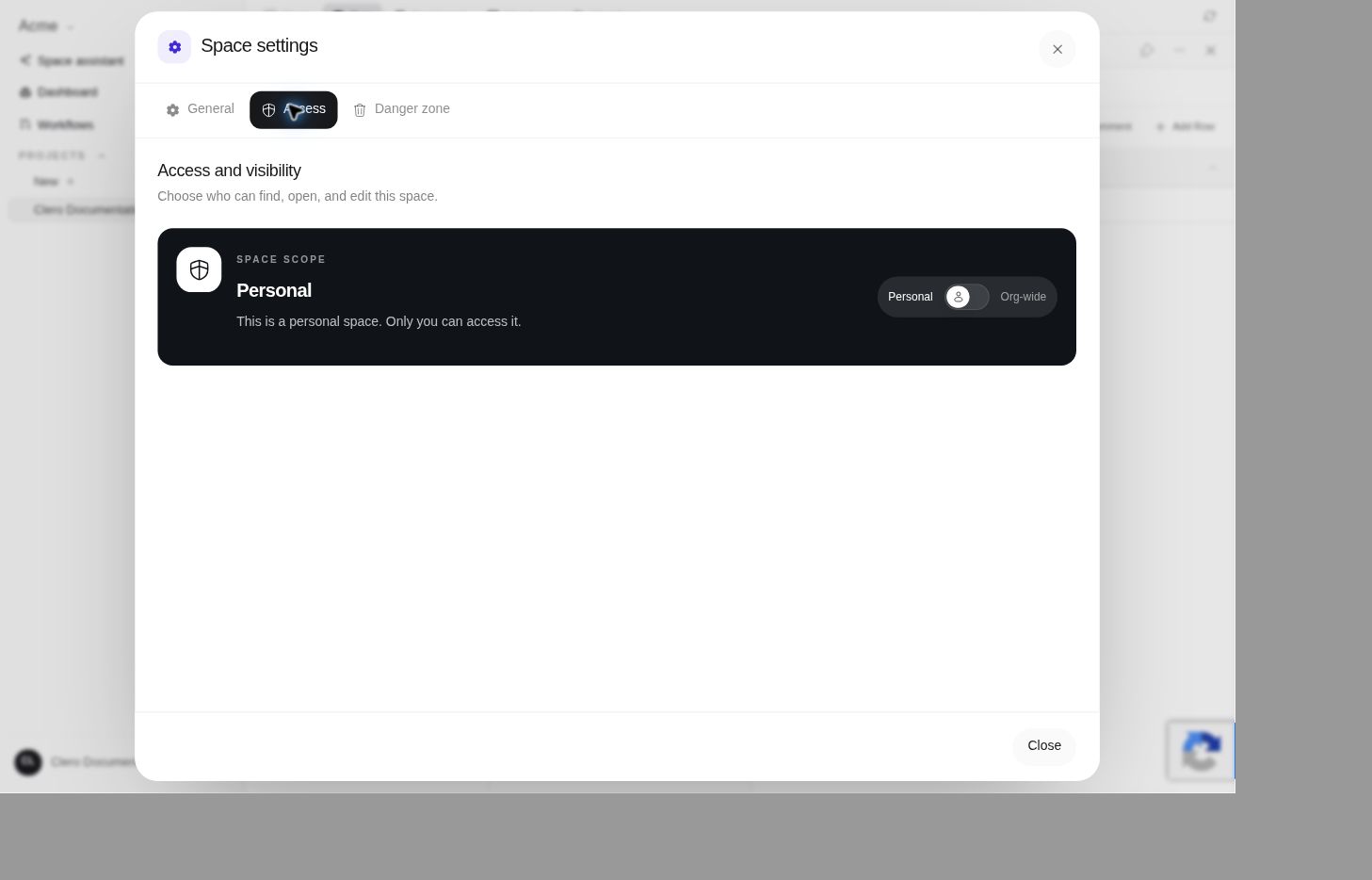 Screenshot detailObserved demo visibility. No scope or permission was changed.Enlarge ↗
Check the current space’s access before adding confidential material. A change toward organization-wide visibility can affect existing resources.
Agent knowledge
The source distinguishes an agent’s semantic-search scope from project membership. All space sources and Selected sources control that search scope; they do not constitute a blanket policy for all tools or all data handling. See Agent knowledge.
Connected services
Read each provider’s permission disclosure. A connected service may expose only a narrow subset of its features. For example, the documented Gmail scope differs from the Yahoo scope; use the provider articles rather than generic “email access” assumptions.
File and document sharing
The source’s document/sheet sharing controls distinguish direct access from link sharing. Link sharing can allow people holding the link to view, comment, or edit depending on the selected permission.
Do not enable broad link sharing just to make a document easier to find internally. Identify the audience and minimum needed access before changing it.
Disconnection and deletion
Disconnecting a provider, detaching knowledge, removing a project link, and deleting content are separate actions. Read the specific warning. Do not assume one action automatically removes information already saved elsewhere.
For current data-handling commitments and provider-specific disclosures, consult the Privacy Policy. This guide does not add a blanket retention, training, or deletion guarantee.