The space assistant helps organize work across projects and coordinate their managers. Work through the space assistant explains what it does and how to request a project update. This page covers its identity settings, which are separate from project manager and specialist settings.
Open the settings dialog
- Open Space assistant.
- Select the assistant name or the gear beside it.
- Review Space assistant settings.
The inspected dialog contains the assistant’s name, Save name, Avatar, and Agent settings.
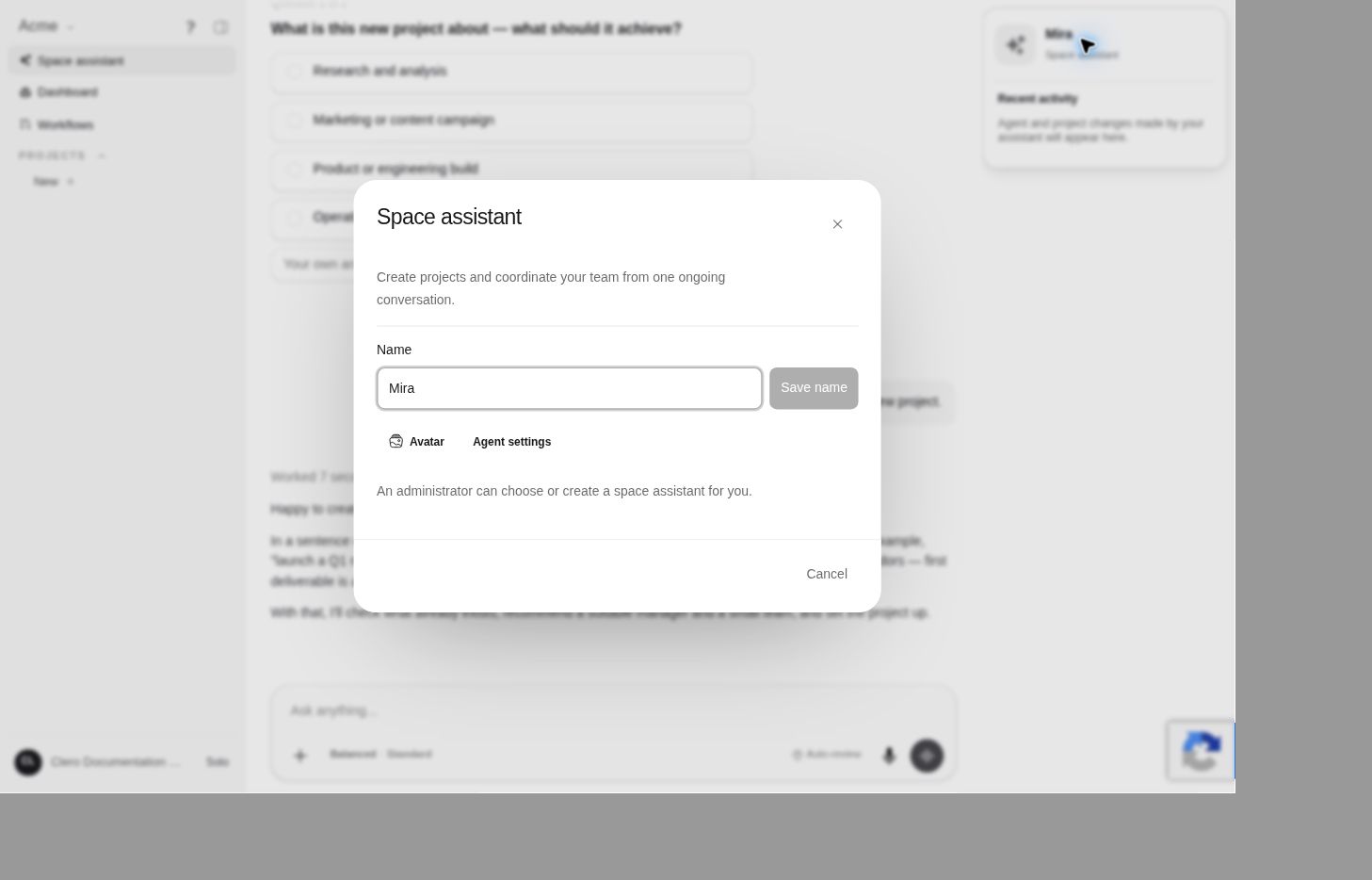 Screenshot detailThe dialog was inspected without changing the assistant identity.Enlarge ↗
Name and avatar
Use the fields shown in the dialog for identity changes when your role permits them. Save name is a distinct action; do not assume typing a new name has saved it. Check the displayed name after a permitted change.
Changing the space assistant’s name does not make it the project manager. In the tested project-creation flow, Mira proposed a separate manager for the new project.
Open agent settings
Agent settings leads to the underlying agent configuration surface. In the documentation Member account, that page showed No Access and explained that organization admins and champions can manage automations.
If you see this notice, ask the appropriate organization owner about the access needed for the task. The visible shortcut does not guarantee that your account can edit the agent.
Choose or create a space assistant
The observed Member dialog states that an administrator can choose or create a space assistant. Request the intended assistant and purpose from your administrator; do not work around the role boundary by creating duplicate identities.
For the difference between agent administration and billing permissions, see Roles and access.